Preparing for a smart radiator thermostat
Check the valve, physical clearance and system generation before ordering a thermostat head. Not every fitting on the radiator should be loosened.
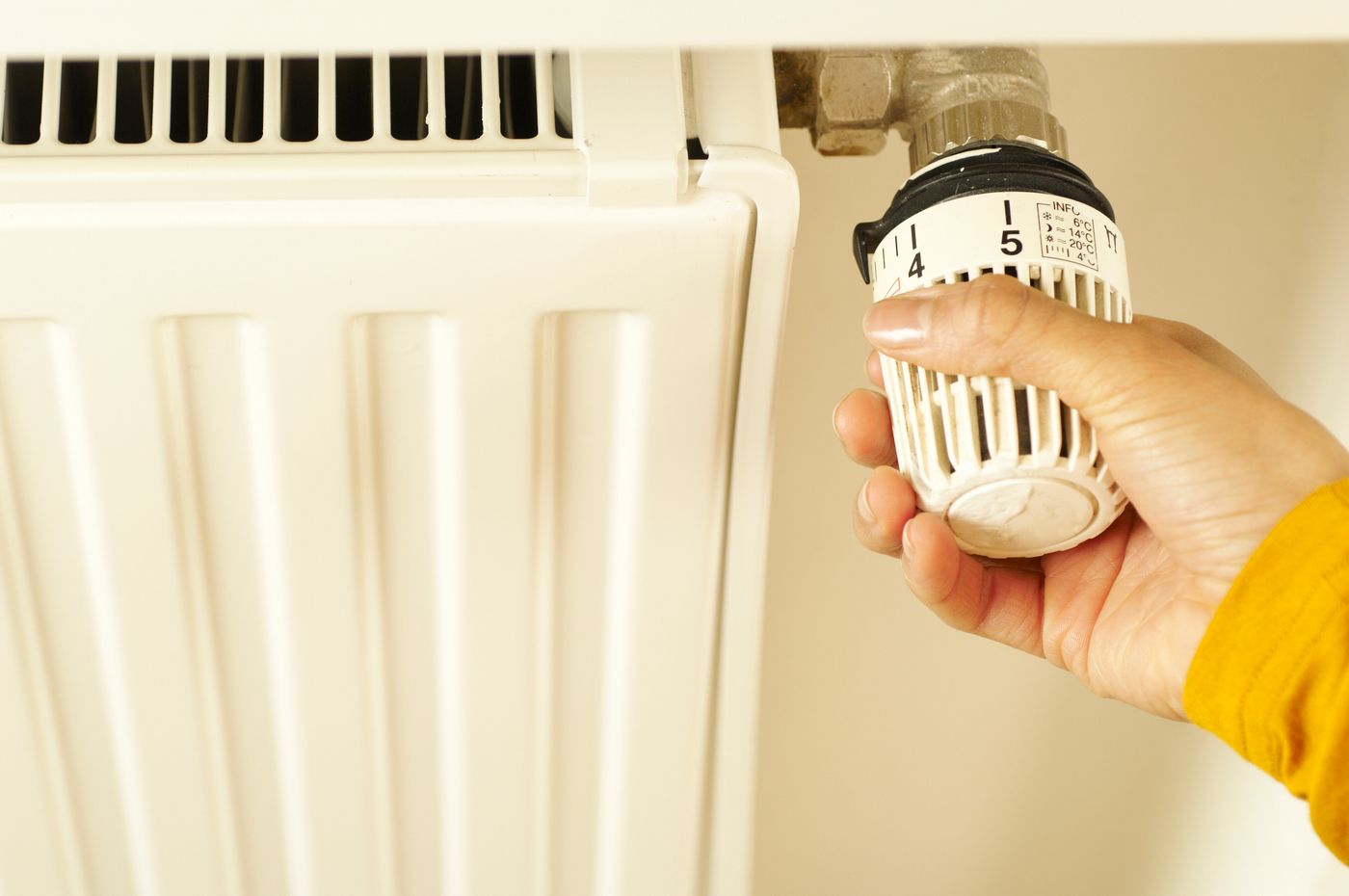
A smart radiator thermostat replaces the existing thermostatic head on a suitable installation. It does not automatically replace the valve itself or make every radiator compatible. The most important preparation is therefore identifying the existing connection, not creating an app account.
Distinguish the head from the valve
The thermostatic head is the part you normally operate to change the setting. Behind it sits the valve, connected to the radiator or pipework. Replacing a removable head as instructed is different from loosening a pipe union. If you cannot confidently identify the part shown in the manufacturer's instructions, have the installation checked by a qualified heating professional.
First photograph the arrangement from several angles without undoing anything. Record any visible brand or model information. Compare it with the compatibility guidance for the exact generation you intend to buy. An adapter that looks similar is not necessarily suitable. A product-family name may cover several technically different generations.
Compatibility includes physical space
A larger electronic head needs room for installation and later battery replacement. Check clearance from the wall, curtains and nearby furniture. Its display or manual control should remain accessible. A photograph taken directly in front of the old knob can hide these side-clearance problems.
Consider how the room is occupied. A thermostat tucked behind a heavy curtain experiences a different local environment from the chair in the middle of the room. Some systems support a separate room sensor and others do not. Do not buy an extra sensor on the assumption that any reported temperature can automatically become the value used for heating control.
Identify the required system components
Check whether the model needs a particular bridge, compatible border router or other equipment. Pay attention to the exact generation of anything you already own. Two products from the same brand do not necessarily use the same wireless connection or central device. Make a short list of the existing parts and the additional components required.
Controlling a radiator valve is also different from requesting heat from the central heat source. In some installations, a separate room thermostat influences whether hot water is available to the radiators at all. A new head on one radiator cannot change those relationships without appropriate system integration. Planning several rooms therefore requires a view of the heating installation as a whole.
Choose a time for setup when you can observe its operation. Keep the old head and its associated parts together if they remain usable. Follow the instructions for the correct model during fitting and calibration. Do not force a reluctant connection or improvise with an adapter that does not fit.
After setup, check manual operation as well as the app display, then observe a simple schedule. If the room unexpectedly stays cold or the control does not respond, document the state rather than repeatedly undoing fittings. The photographs and component list will make it easier to explain the problem to the manufacturer or a heating professional.
Record three decisions before ordering
Separate your findings into physical connection, wireless connection and heating control. For the physical connection, identify the valve or an explicitly approved adapter. For connectivity, establish which existing or additional component is required. For heating control, explain what the new head can actually change and which central control still makes the wider decision. A positive answer in only one group is not a complete compatibility check.
In rented accommodation, clarify changes to the existing arrangement with the responsible person beforehand. Keep photographs and original parts so that returning to the previous arrangement remains organised. If a valve or fixed connection needs alteration, that is a separate professional task, not an extra step in app setup. Do not allow a convenient online purchase to obscure that distinction.
The first observation also benefits from a simple record. Note the requested setting, displayed room temperature, other relevant control settings and time. Avoid changing every room's schedule at once. An unexpected response is easier to associate with one change than with a whole collection of simultaneous adjustments. If water escapes or a connection is mechanically insecure, stop and obtain qualified help. Repeating software calibration cannot repair a physical connection problem.