Comparing local and cloud camera recording
Live view, event clips and continuous history are different functions, not automatically one package.
A camera displays a live image on the phone. That does not mean the scene will remain available later. Before choosing storage, decide what needs to be retained: detected events, longer sections or continuous recording. Only then can you assess whether a particular arrangement meets the task.
What does local mean?
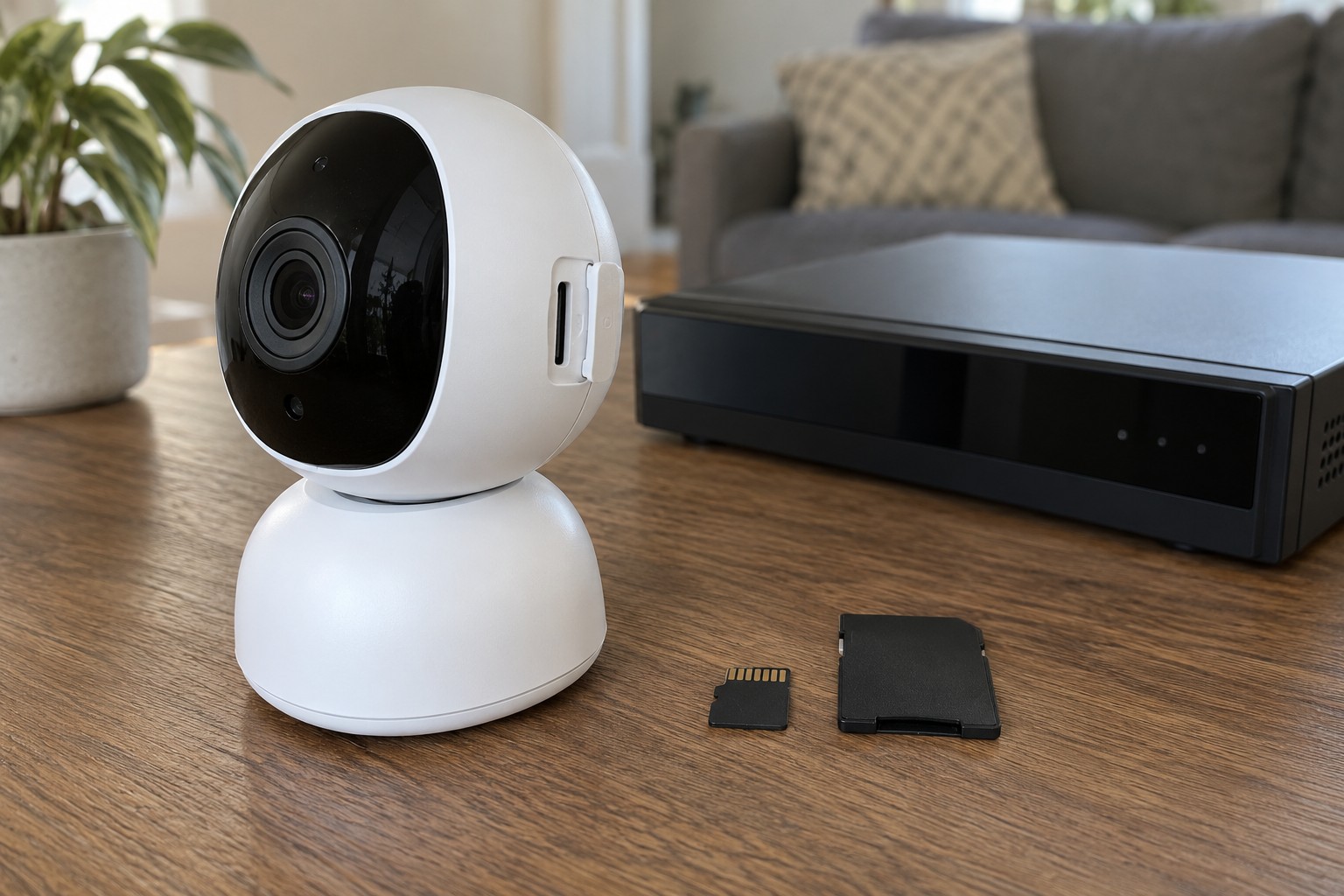
Local storage might mean a removable card inside the camera, a separate recorder or an internal temporary buffer. These are not equivalent. A buffer that uploads automatically later may not be directly accessible. Check the documented viewing and export method instead of assuming that local means an ordinary downloadable file.
A card inside the camera stays with the device. If the camera is damaged or removed, the recording may be unavailable too. A separate recorder changes that dependency but needs its own power, capacity and possibly network connection. Its maintenance remains part of the system even without a monthly storage subscription.
What does cloud mean?
A cloud system transfers footage to a remote service. Check which functions exist with and without a subscription, retention periods and whether the required clips can be exported. Confirm current plans with the provider; an included trial does not establish permanent functionality.
Uploading requires connectivity. Some models temporarily retain particular events during an outage and upload them later; others do not. Establish the behaviour for the exact model and operating mode. A limited buffer may not cover the entire period without internet.
Power and internet failures are separate cases. A device with storage but no energy may stop capturing altogether. A battery camera may use different recording modes from those available on continuous power. Do not assume a feature labelled backup covers every failure scenario.
Work through two specific situations
Imagine the camera is removed before an event finishes uploading. For the proposed setup, identify what would already exist elsewhere and how you could access it. In a second scenario, only the internet fails while the camera and local network remain powered. What recording is created, when can it be viewed and what happens if the interruption exceeds the buffer's capacity? These questions are more useful than a broad statement that the camera works offline.
For a local card, also examine capacity, overwrite behaviour and how storage faults are reported. Does the app indicate that a medium is missing or cannot be written? A populated event list can still show old entries while current recording has already failed. Use only the intended safe testing procedure and do not remove media during a write if the instructions prohibit it.
Consider export from the perspective of later use. Does the clip open on an ordinary device, cover the intended interval and remain available after online history expires? Verify this using your test recording. Do not automatically place exported images in a folder shared with every household member if access should be narrower.
Before changing a subscription or account, preserve recordings you need where the change may delete them. Read the confirmation warning before proceeding. Whether a plan ends immediately or continues for a period is specific to the provider's current terms; behaviour observed with another service is not evidence for this one.
Verify with your own test
After setup, record a harmless test scene. Find it in the history later and export a short section using the supported process. Check date, time and content. This establishes that the required recording function is configured, rather than merely the live image.
Review who can access the history. Someone allowed live viewing may not need access to earlier recordings where the system permits that distinction. Choose retention and deletion around the actual purpose. Indefinite collection is not a requirement for a useful camera.
Finally compare all dependencies: camera, power, home network, recorder, account and remote service. Local versus cloud is not only a price question. It determines which parts continue during a failure and where a recording can actually be found afterwards.